

- Navigate to Admin - Projects
-
Select the pencil icon of your desired project

-
This will bring up the Edit a Project Popup

-
If code files have been imported, the dropdowns will be populated with ALL code files.
- Select the corresponding code files based on Project and type of code file
-
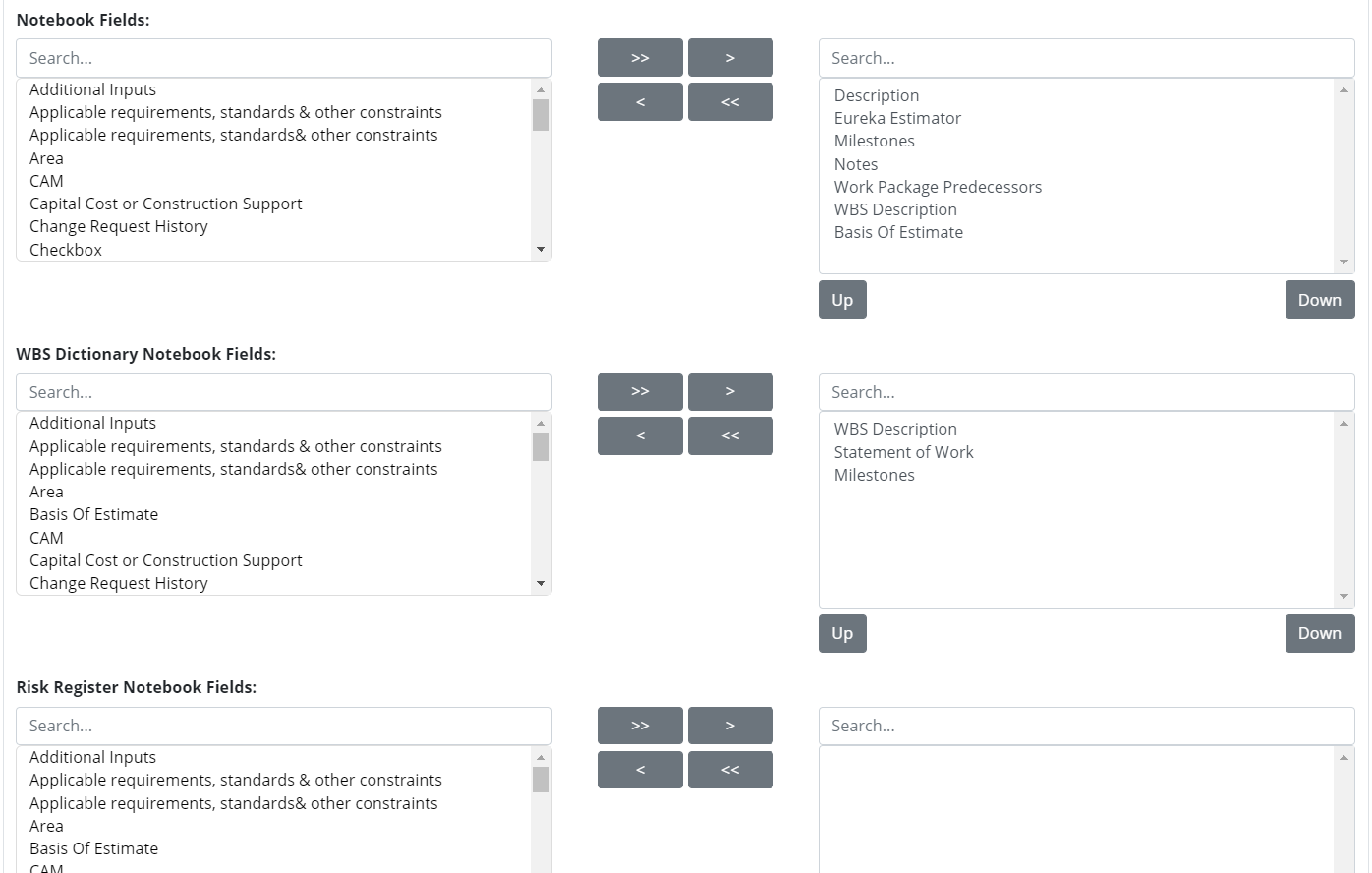
Select the Notebook Fields that you would like to populate the Cost Estimating Form’s Details Section, WBS Dictionary, and Risk Register.
- This is optional when first creating a project, but this is where the union of which Notebook Fields show on what project occurs.
Projects
Assigning Files to a Project (Edit a Project)
Help Scout import — Admin / Projects
Files need to be assigned to a project before cost estimates and resource assignments can be imported. Also, a project needs to be created to assign files to it, see Creating a Project.
*Note: Files can be assigned during project creation if they have already been imported