

- Once an admin sets up the contingency sources for your project, you can start calculating contingency for each resource. Dash360 uses a method known as the Gary Sanders Method, which helps you figure out contingency based on project needs.
- You will supply information related to schedule, technical complexity, and cost to develop a Contingency Percentage
- You can copy the same contingency calculations to other resources to save time. This helps keep things consistent across your project.
-
Budget Form -> Select Your Project -> Locate Labor Costs: Navigate to an Individual Resource Assignment, and press edit (Pencil Icon)
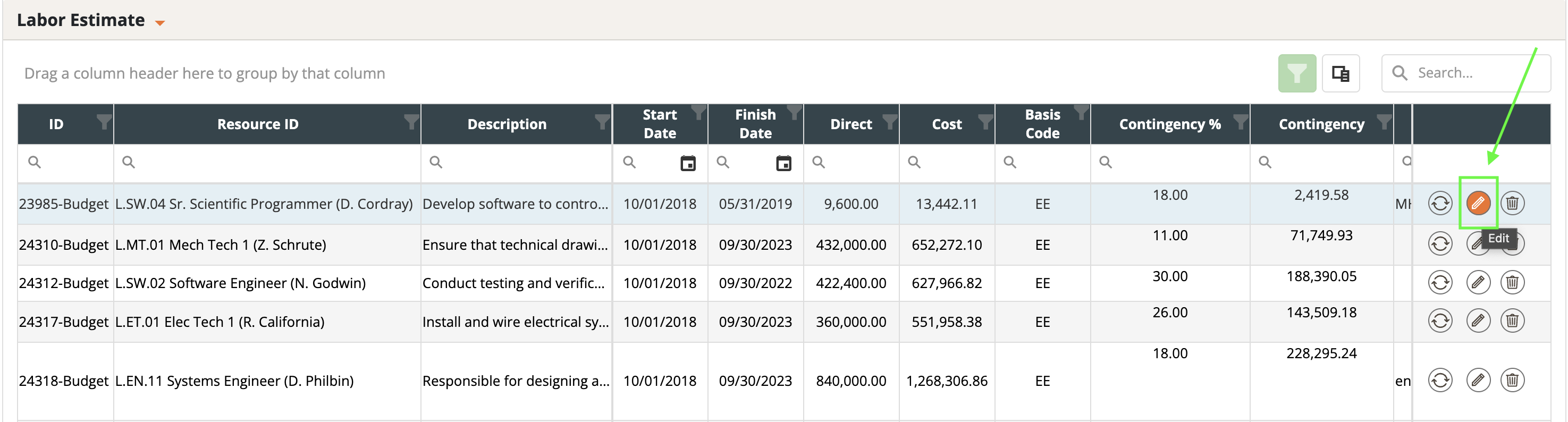
- .Find the Contingency Section: Continue scrolling to locate the ‘Contingency’ section, where you can adjust the values.
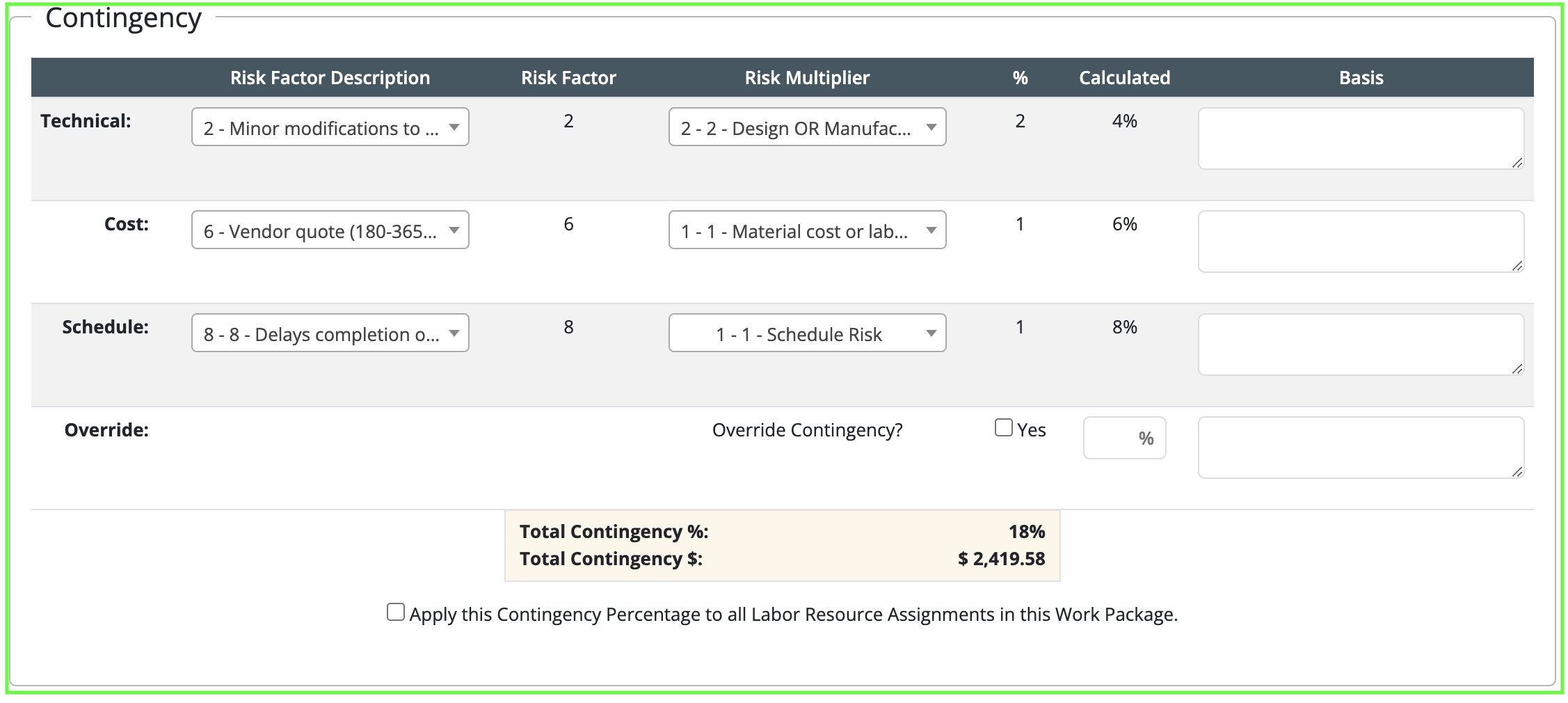
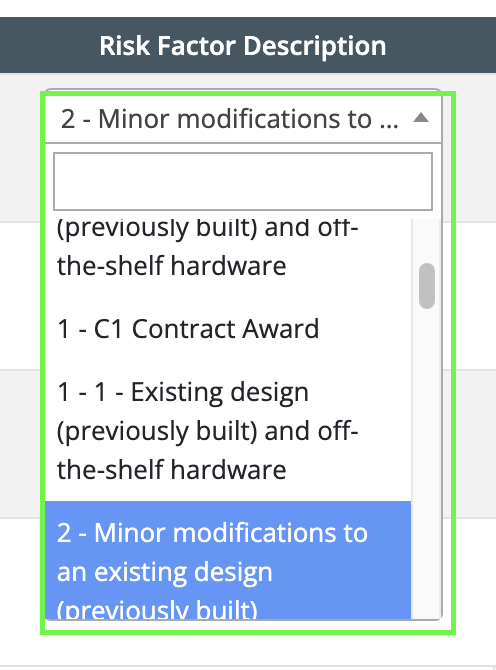
- Customize Risk Factors: Risk factors can be customized and loaded with a value and a description. Each risk factor is assigned a number from 0 to 15, with 0 indicating the lowest level of risk and 15 the highest.
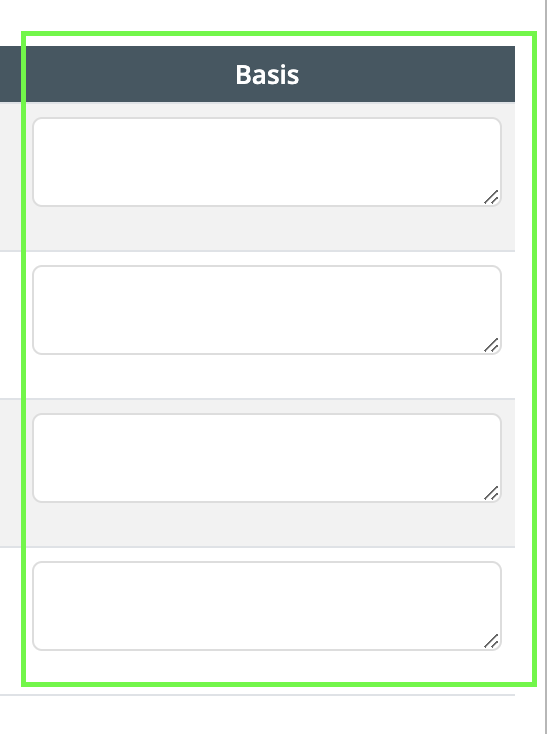
- Basis of Estimate or reasoning behind contingency : To effectively communicate your rationale for contingency determinations, it’s essential to provide a detailed explanation in the “Basis” section. Here, you should include your Basis of Estimate or any reasoning that supports the contingency figures you have set. This documentation is crucial for transparency and for guiding future review processes.
- Input Multiplier Value: Enter a multiplier, which is another numeric value that represents additional risk dimensions or magnifies the base risk factor.
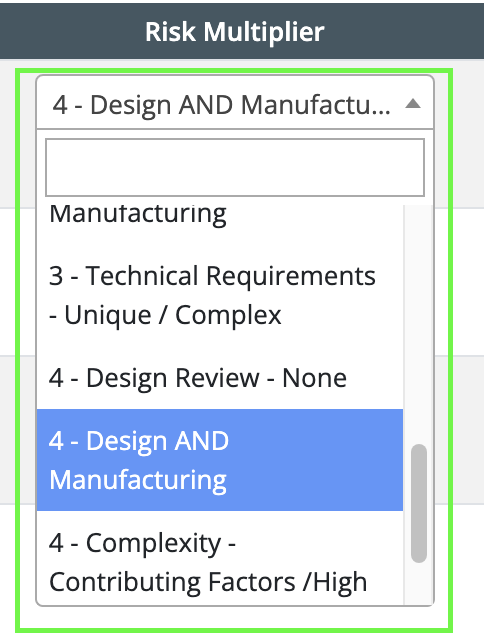
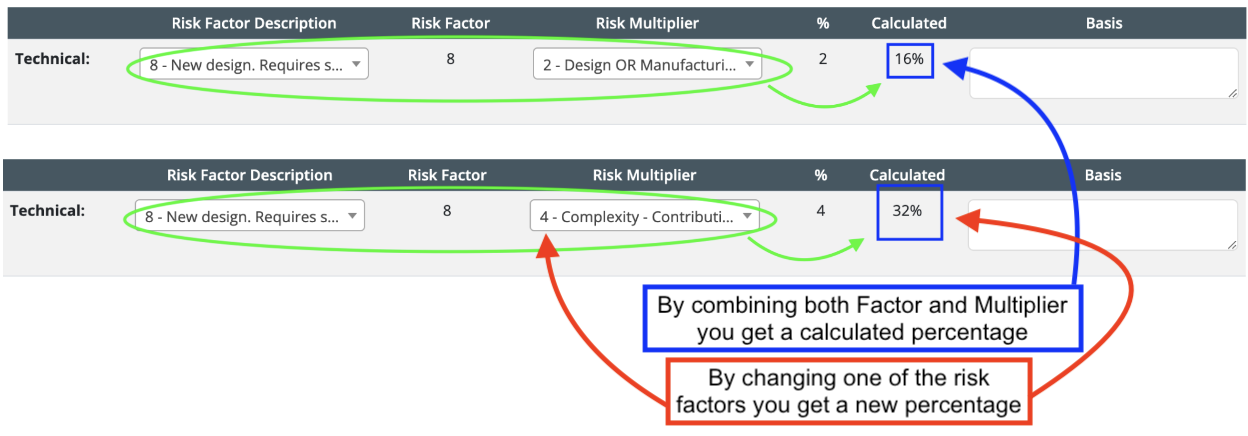
- Calculate Percentage: The software automatically calculates the risk percentage by automatically multiplying the selected risk factor by its corresponding multiplier. Adjusting any of the risk factors or multipliers will immediately update the percentage to reflect the new level of risk for that resource.
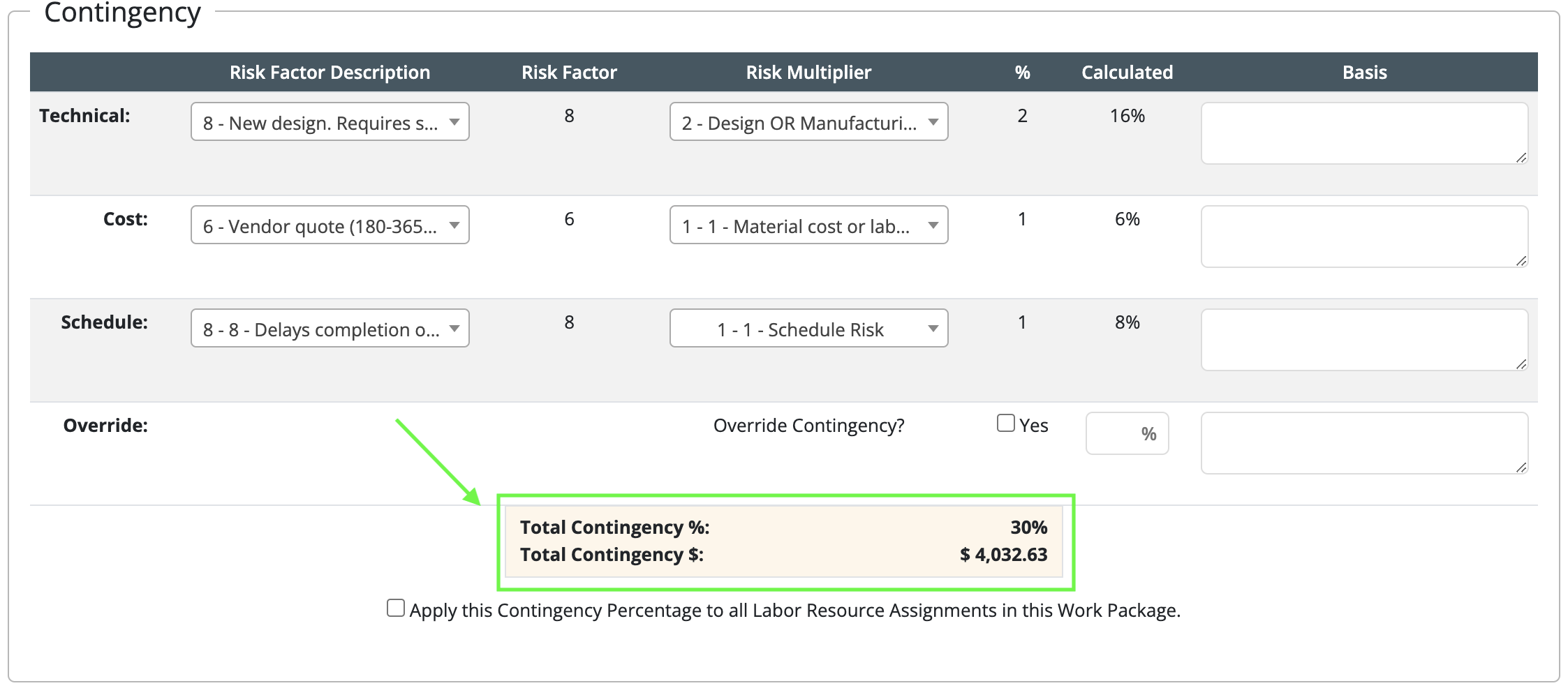
- Aggregate Total Contingency: Sum up all the calculated percentages from individual resources to determine the total contingency for the project.
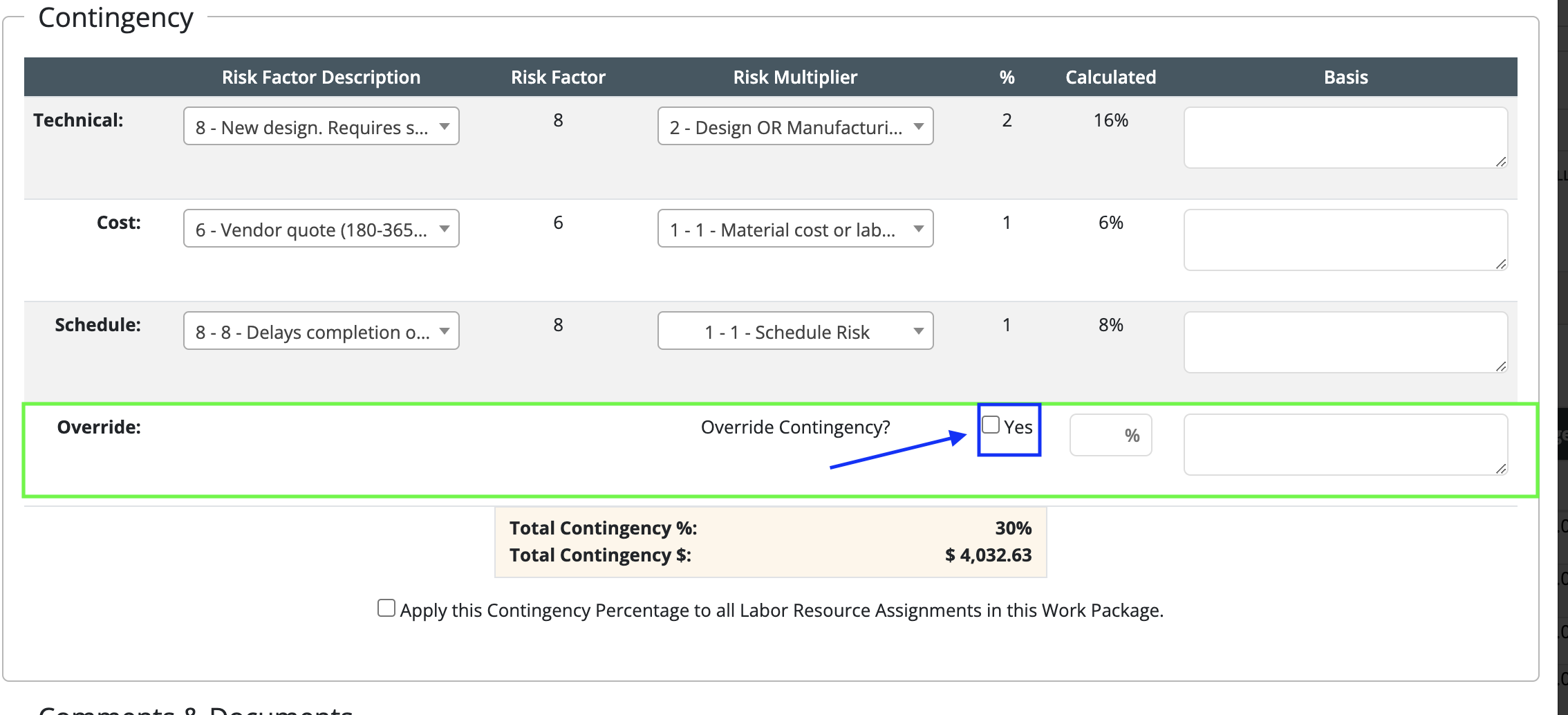
- .Review and Confirm: Ensure all inputs are accurate and reflect the necessary risk assessments for your project contingencies.
- Save Changes: After review, save any changes made to ensure that the contingency calculations are updated in your project’s financial plan.
