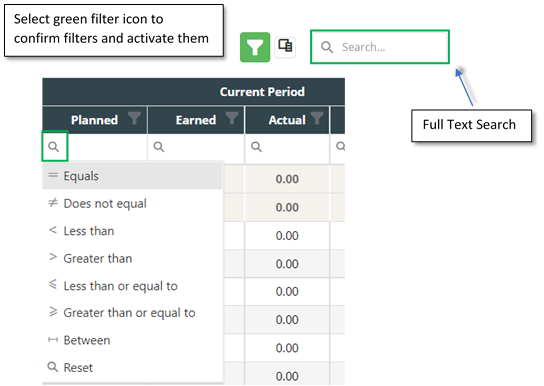
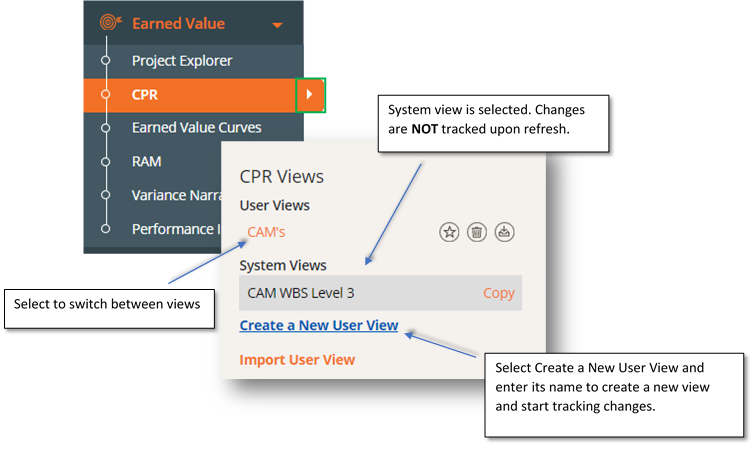
Views To save any changes made to a data table, the user must be working from an ALREADY created view. Meaning, if you make changes to a data table and create a view after making these changes, the changes WILL NOT be saved when refreshing. To create a user view, open the filter menu from the left side of the screen using the orange and white arrow.
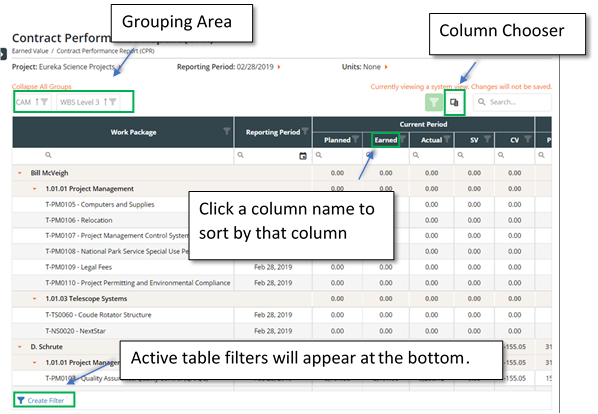
Data Table The default CPR data table provides Work Package level data points grouped by reporting period. This allows you to view project performance across the project’s timeline. The data table displays the Current Reporting Period, Cumulative to Date, and At Complete time periods and in depth Earned Value data for each period.