

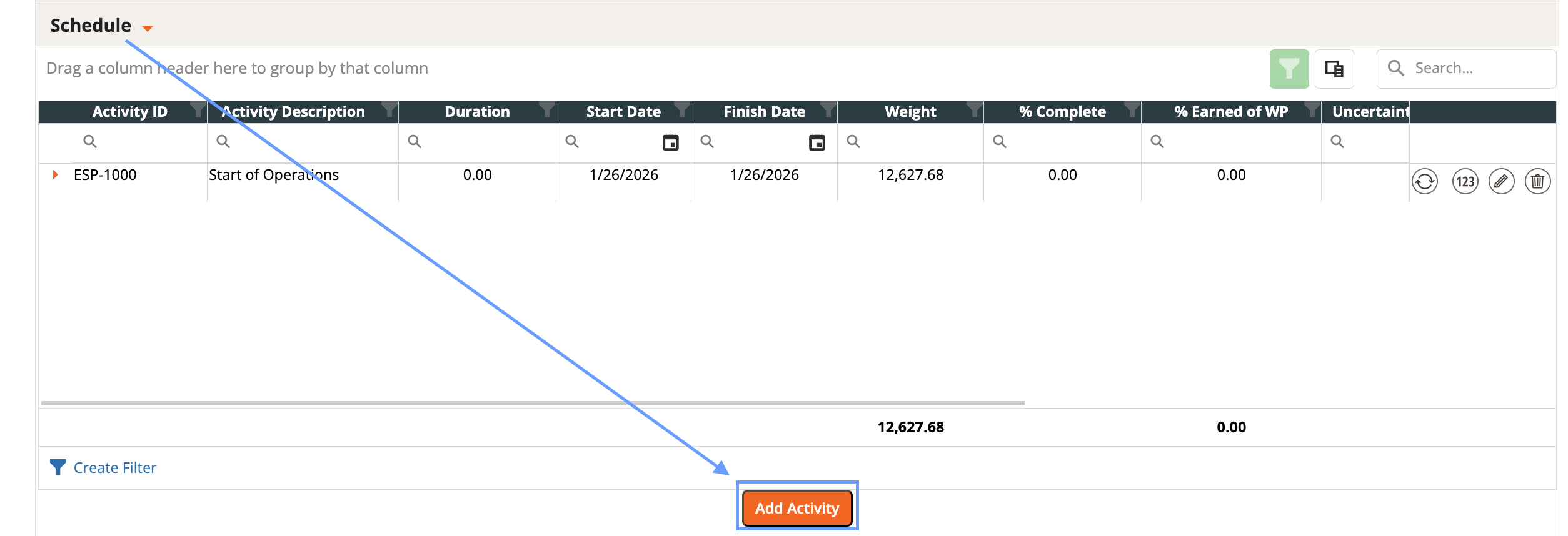
- Add activities directly in the Budget Form’s Schedule section.
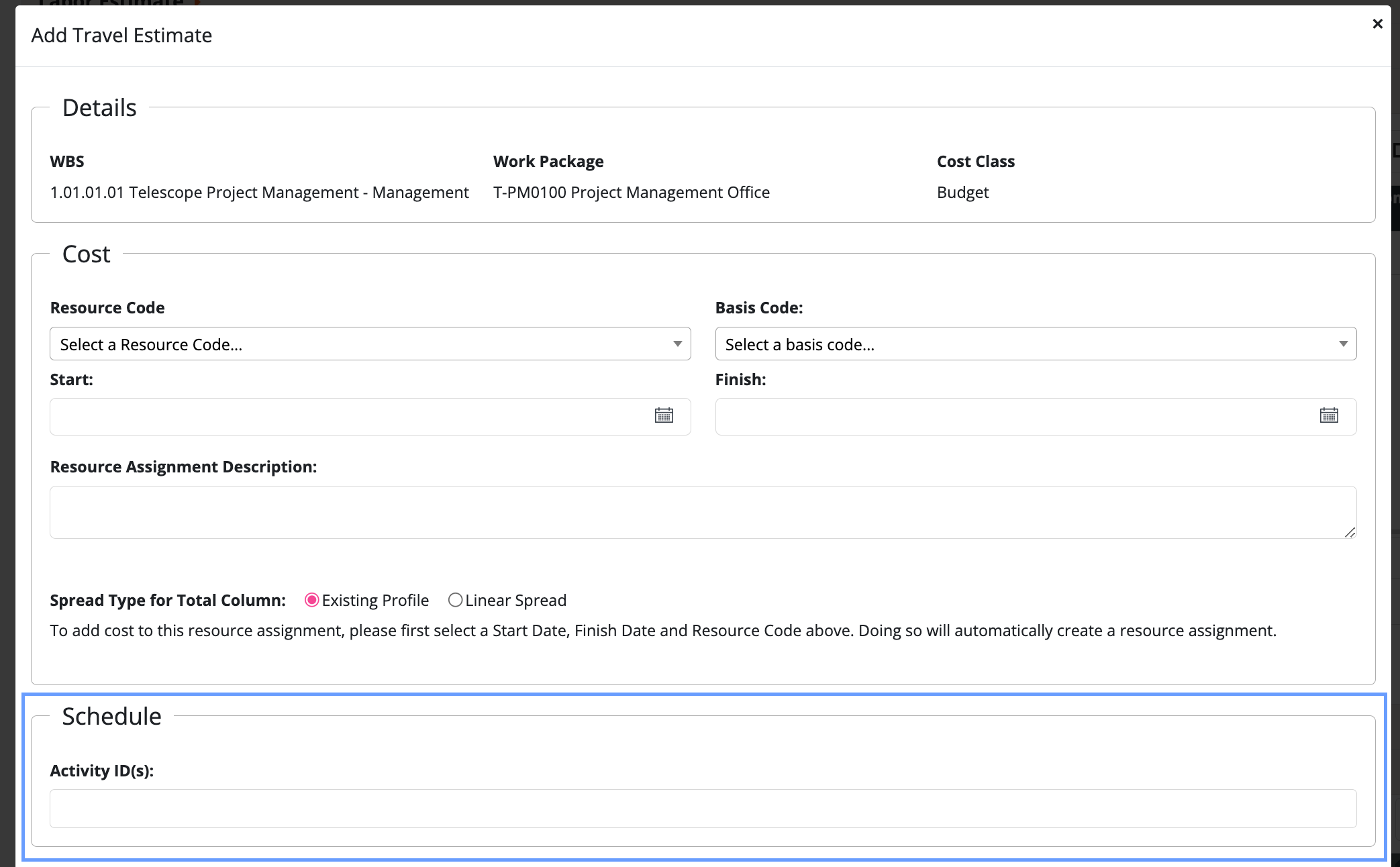
- When adding a resource assignment select an Activity ID in the schedule tab.
- Link Resource Assignments to Activities:
- Auto-Link by Overlap (fastest).
- Open the Budget Form.
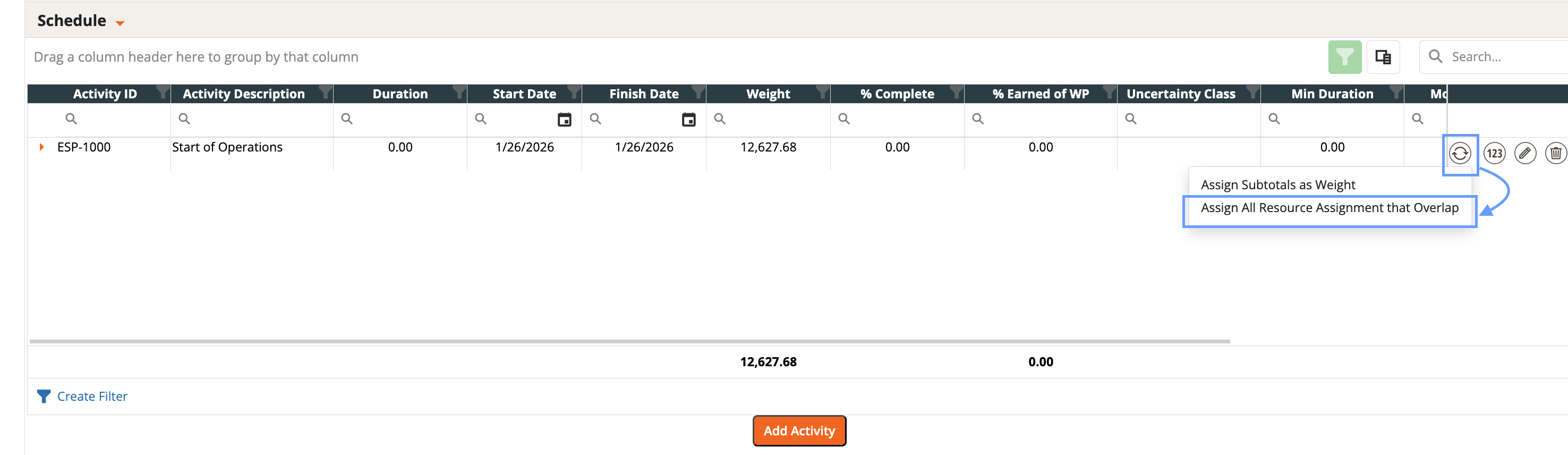
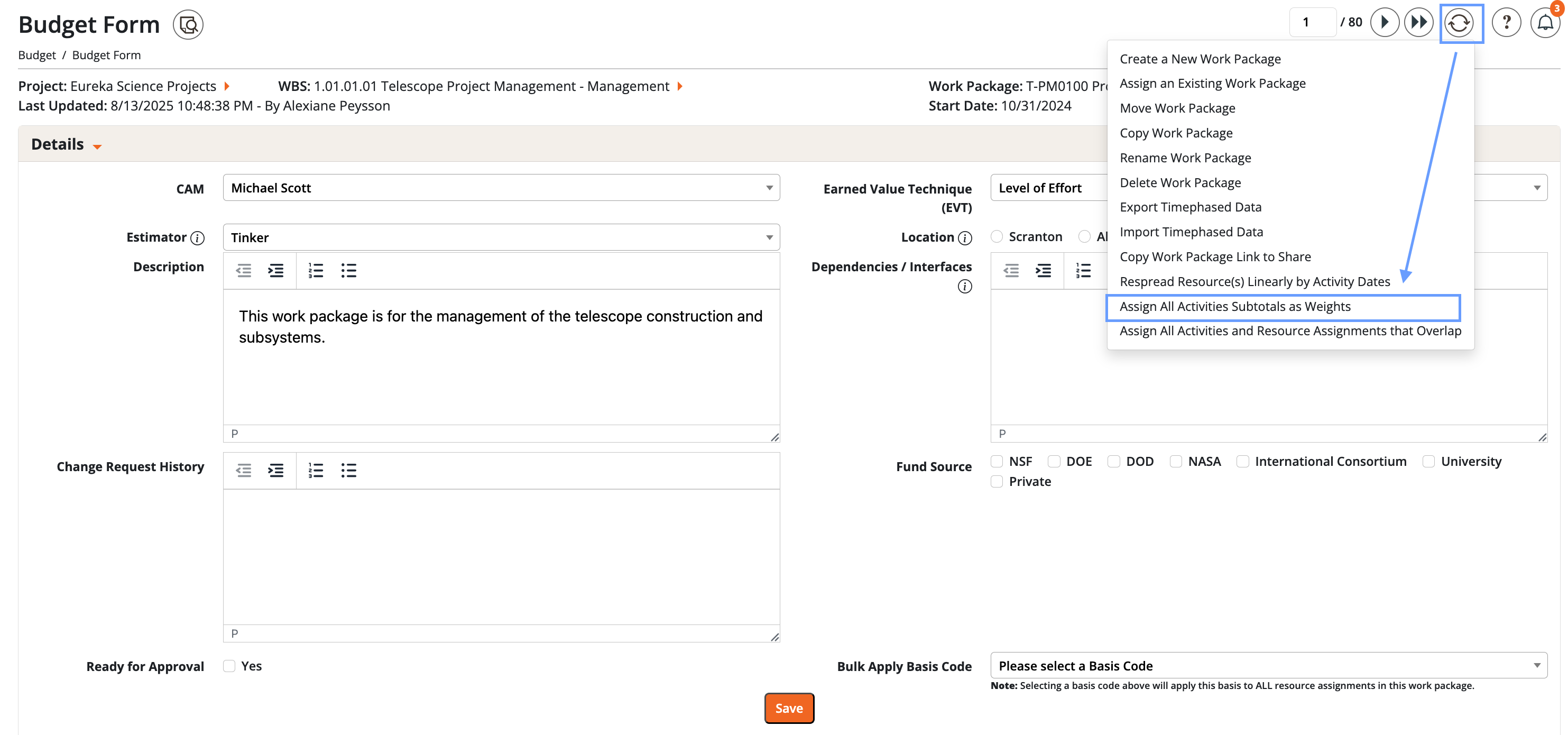
- Use the process wheel and select “Assign All Resource Assignments that Overlap”.
- Dash360 will attach resource assignments that time-overlap with each activity.
- Link Individually (most precise).
- Open the activity (or resource assignment) and link the corresponding items directly.
- Repeat as needed for all activities/assignments.
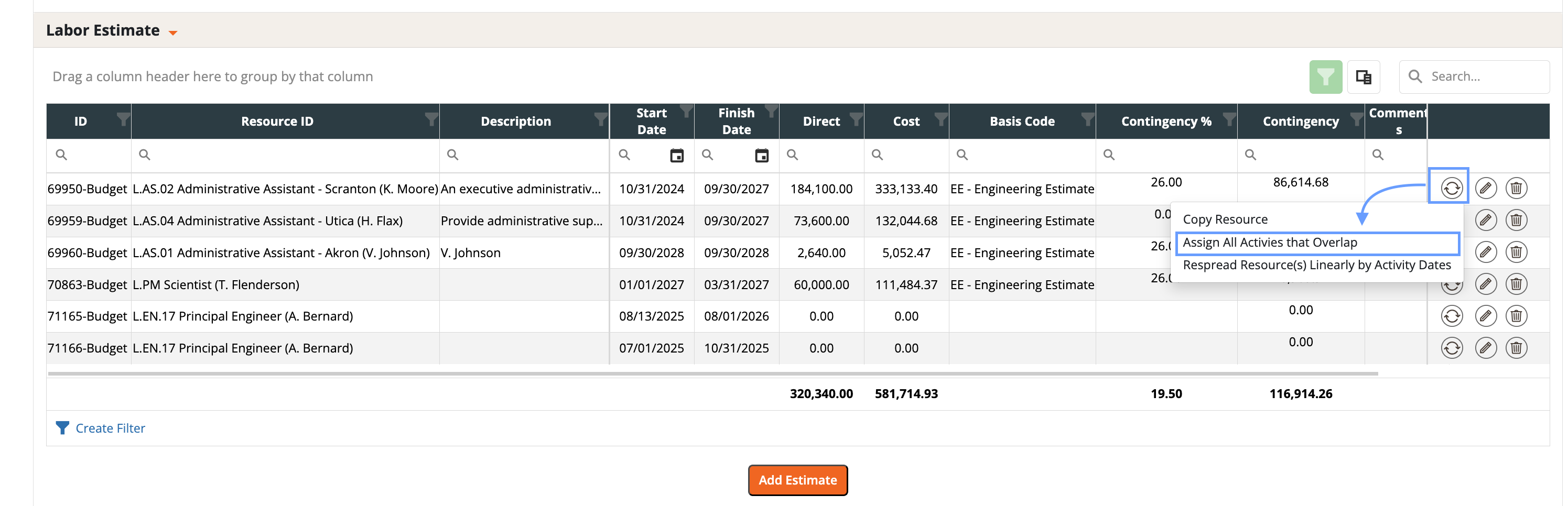
- Align Timing (Optional but Recommended): If you want assignment dates to match activity dates
-
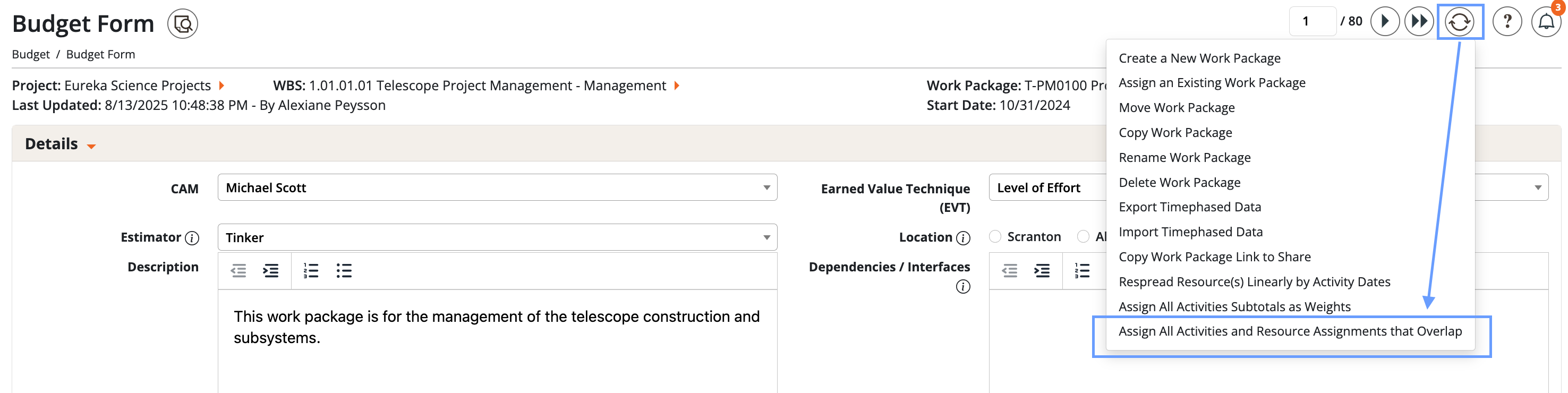
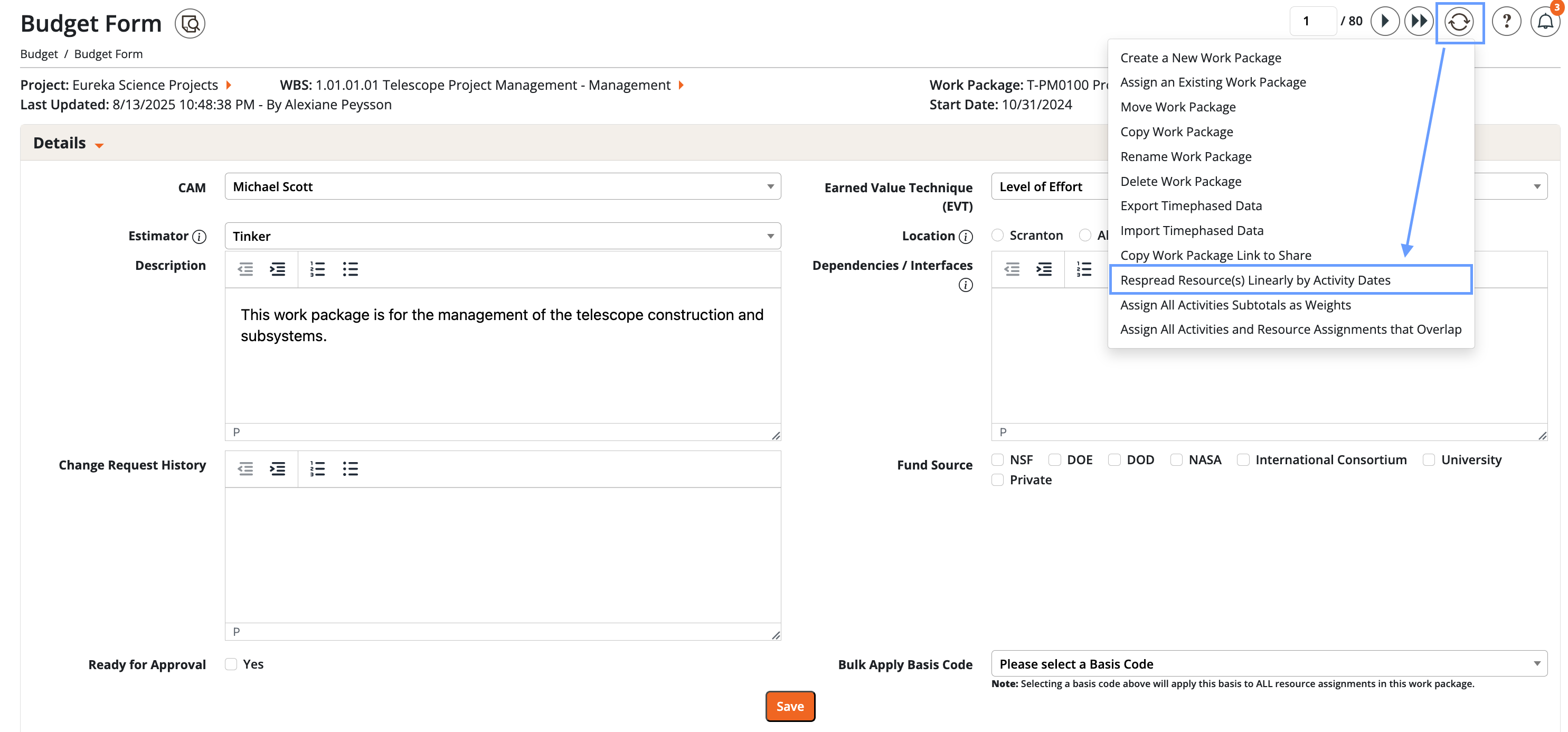
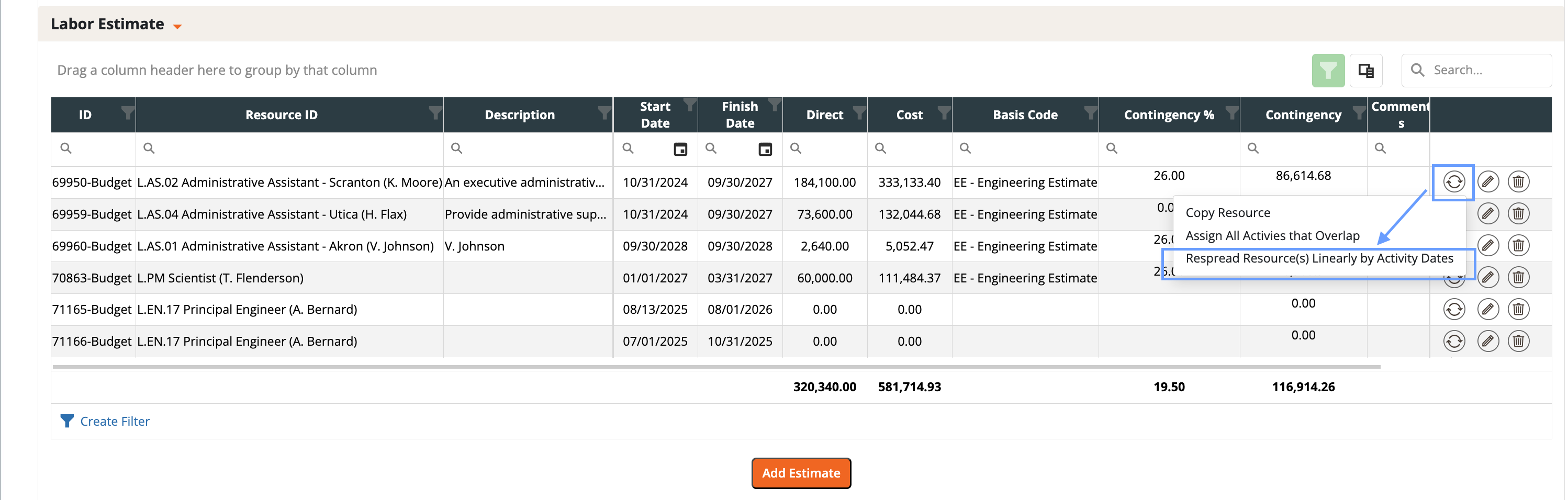
From the Budget Form process wheel, choose Respread Resources Linearly by Activity Dates. You can run this for:
- For the entire Work Package (Budget Form -> process wheel).
- For a single activity (Labor Estimate tab -> process wheel on that activity)
- Dash360 will move resource dates to line up with activity dates (one direction only -> resources adjust to the schedule).
-
From the Budget Form process wheel, choose Respread Resources Linearly by Activity Dates. You can run this for:
- Assign Dollarized Weights (Subtotals): You can weight activities based on their fully burdened cost.
- Option 1 - Individually
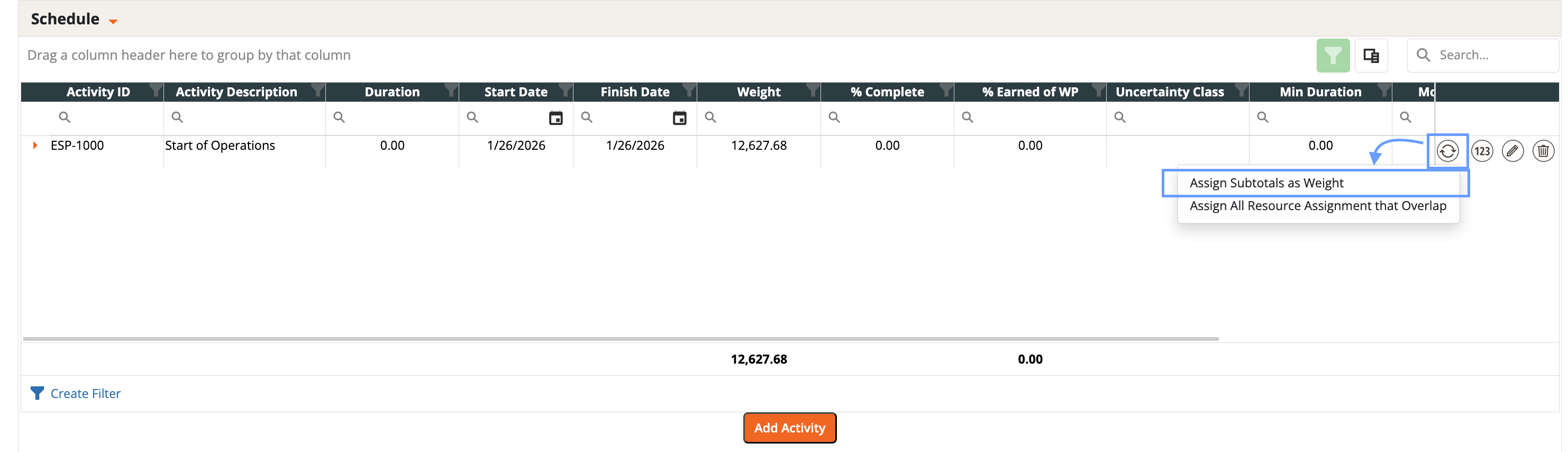
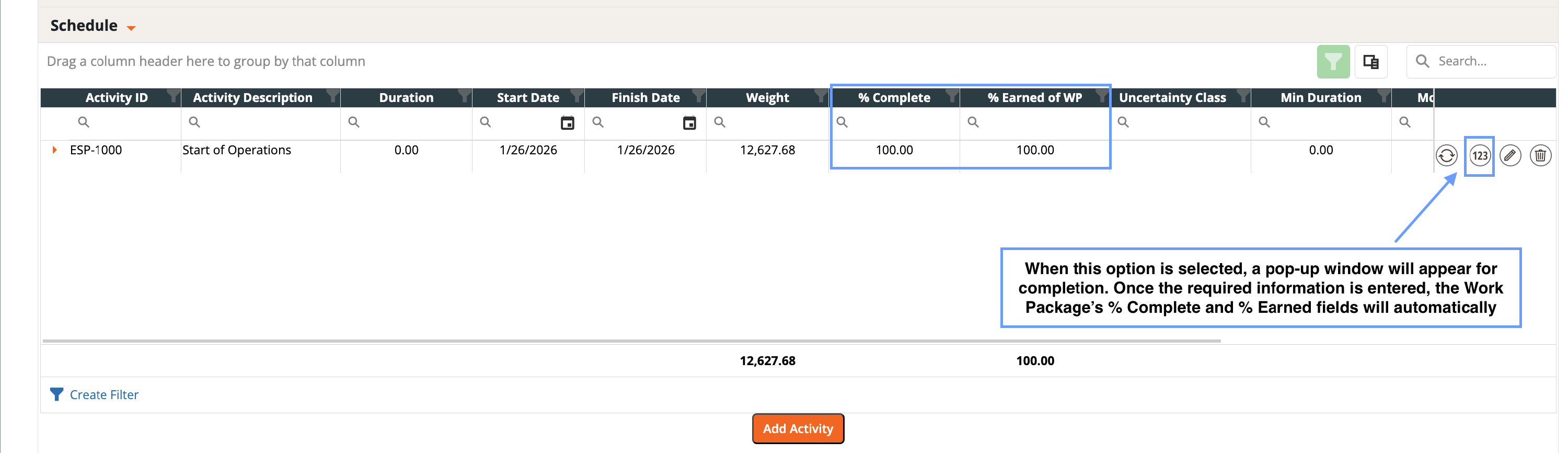
- Open an activity and choose “Assign Subtotals as Weights”.
- Confirm the calculated weight.
- Option 2 - In Bulk
- From the Budget Form process wheel, select “Assign Subtotals as Weights” to apply across activities at once.
- Option 1 - Individually
- Track Progress and Compute Earned Value:
- Update % Complete for each activity as work progresses.
- Dash360 combines Weights * % Complete to produce % Earned of WP.
- EV = WP Budget Estimate * % Earned of WP.
- Auto-link review: After Assign Activities that Overlap, scan the links. If something looks off, relink manually.
- Scope control: Most actions (Assign Overlap, Respread, Assign Weights) can run at the WP level (Budget Form process wheel) or the activity level (Labor Estimate tab process wheel).
- Clarity first: Keep activity names deliverable-oriented (what gets produced) Keep resource assignments accurate and complete (who/what does the work).
- Schedule Activity v.s. Resource Assignment
- Activity - The deliverable.
- Resource Assignment - Labor, Nonlabor, Travel attached to do the work.
- Dollarized Weight
- A weighting method that uses fully burdened resource costs assigned to an activity to derive that activity’s weight within the Work Package (WP).
- Earned Value
- % Earned of WP = Activity Weights * Activity % Complete
- Earned Value = WP Budget Estimate * % Earned of WP