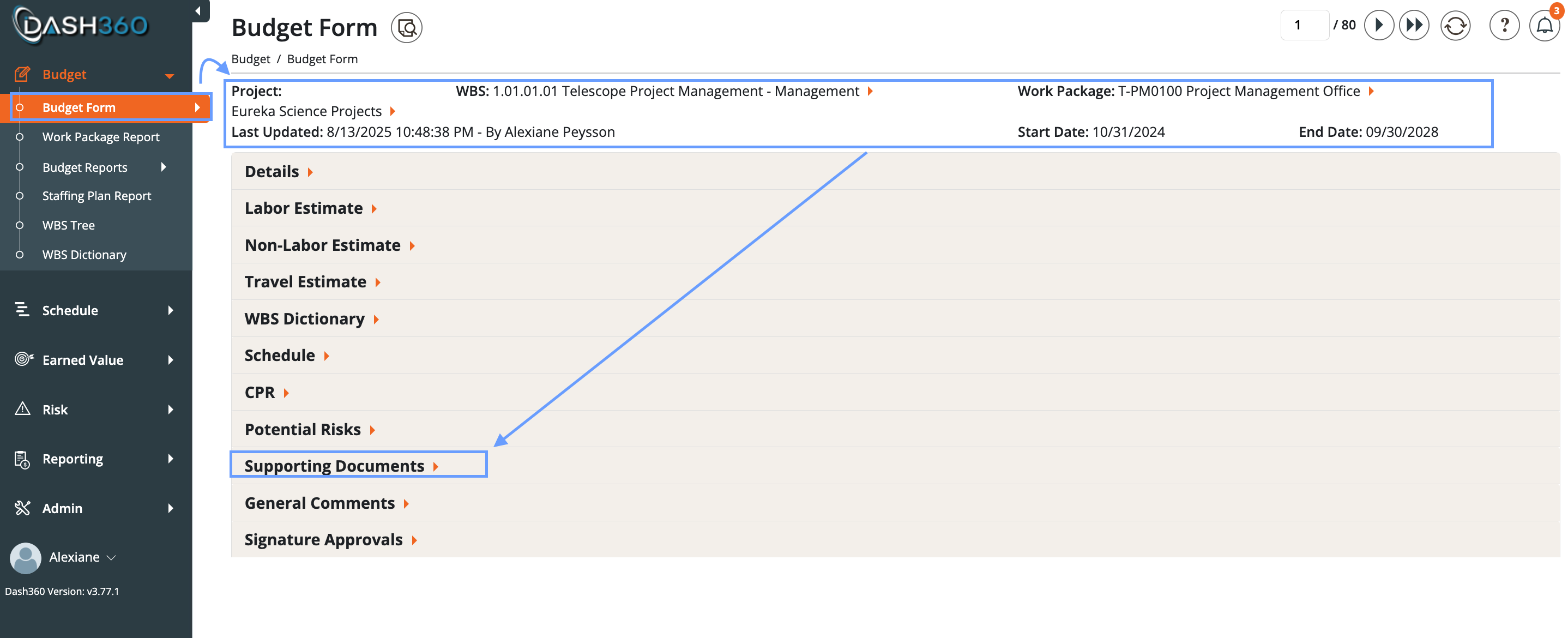
- Navigate to the Supporting Documents Tab:
- Go to the Budget Form module.
- Select the correct Project, WBS, and WP.
- Open the Supporting Documents tab.
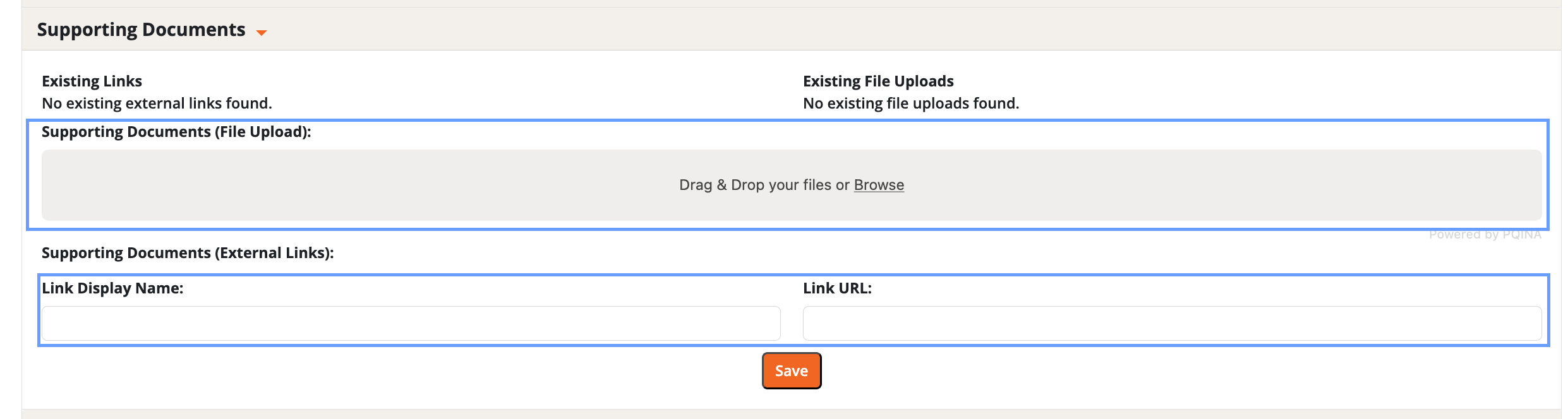
- Choose an Upload Method: You have two options for uploading supporting documents.
- Option A: Upload Files
- Drag and drop your files directly into the upload area, or
- Browse your computer to select the files.
- Option B: Add an External Link
- Enter a name for the link.
- Provide the link URL.
- Option A: Upload Files
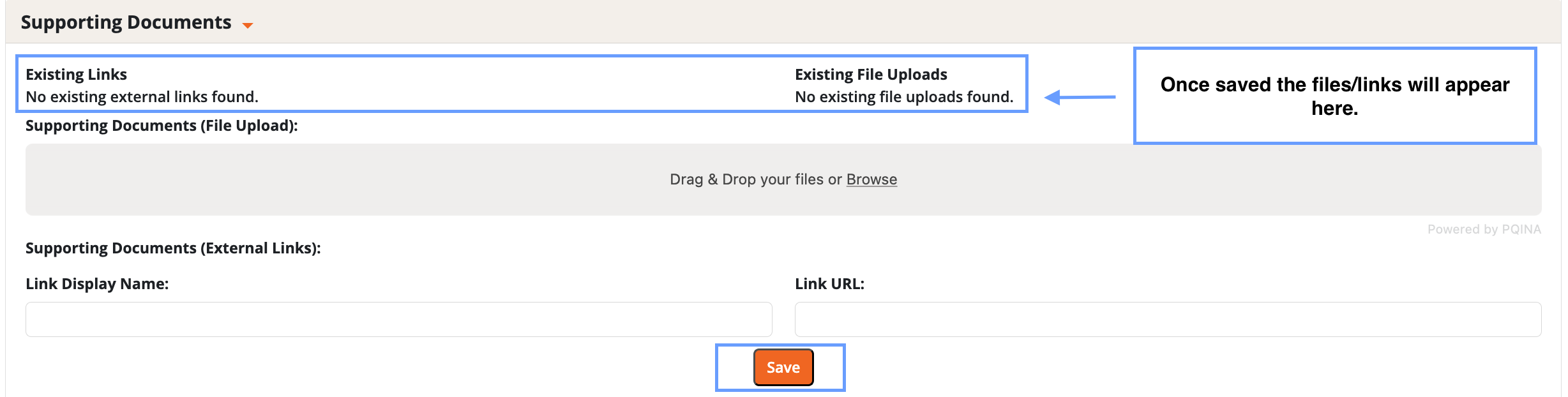
- Save:
- Click save to finalize your upload.
- Review Uploaded Documents:
- Once saved, your documents will appear in Dash360.
- Supporting documents do not change any information in the Budget Form.
- They are useful for reviews, validations, and checks on completed work.