

Overview
The Admin Reports section provides system-level reports for monitoring user accounts and activity. Use these reports to verify that users are actively using the system, identify dormant accounts, and review active versus inactive user counts.Permissions
Administrator role required.Navigating to a Report
The Admin Reports landing page (/Admin/AdminReports/Index) has a Report inline filter dropdown. Select a report from the dropdown to navigate to it. Currently, one report is available:
User Last Login Report
URL:/Admin/AdminReports/UserLastLoginReport
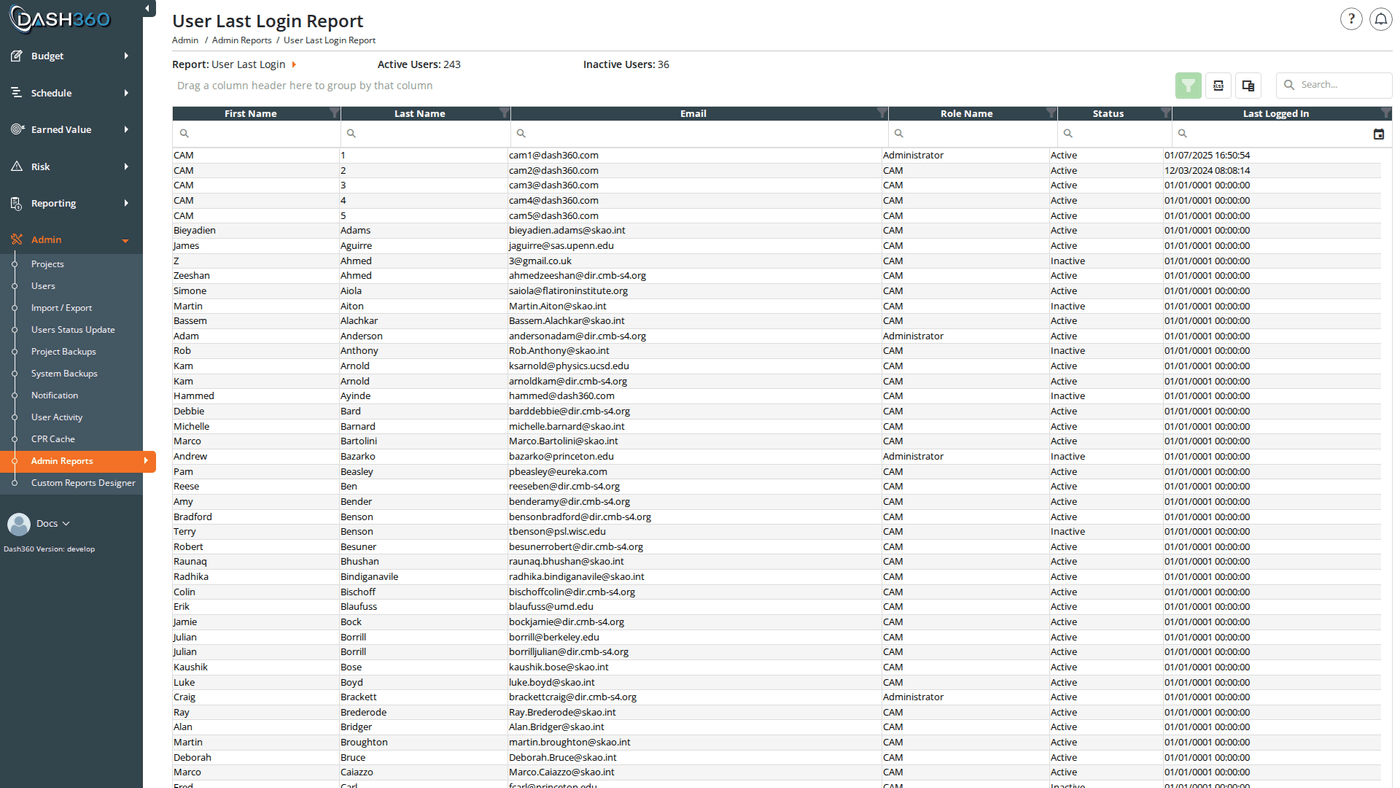
Shows when each user last had any recorded activity in Dash360. This is the primary report for identifying accounts that may be stale or should be deactivated.
User Statistics Header
At the top of the report page, alongside the Report selector, two counters show the current state of all user accounts:
These counters update each time the page loads. Use them alongside the Users page when auditing accounts or reviewing access.
Grid Columns
The grid shows one row per user, ordered by last name then first name:Last Logged In is derived from the user’s most recent activity log entry; any recorded action (page visit, filter selection, import, etc.), not strictly a login event. In practice this closely reflects when the user was last active in the system.
Grid Features
The grid supports a search panel, filter row (Apply Filters button), header filters, filter panel, grouping panel, and column chooser. Paging is set to 20 rows per page, configurable up to 100.Sorting and Filtering
Sort by Last Logged In ascending to surface users who have not been active recently. Use the Status header filter or filter row to narrow the grid to Active or Inactive accounts only.Exporting
Click the Export button in the grid toolbar to download the full report as UsersLastLoginReport.xlsx. All columns and any active filter criteria are included in the export.Timezone
The Last Logged In column displays timestamps converted to the timezone configured via theTime-Zone registry setting. All activity timestamps are stored in UTC and displayed in your local time.