

Overview
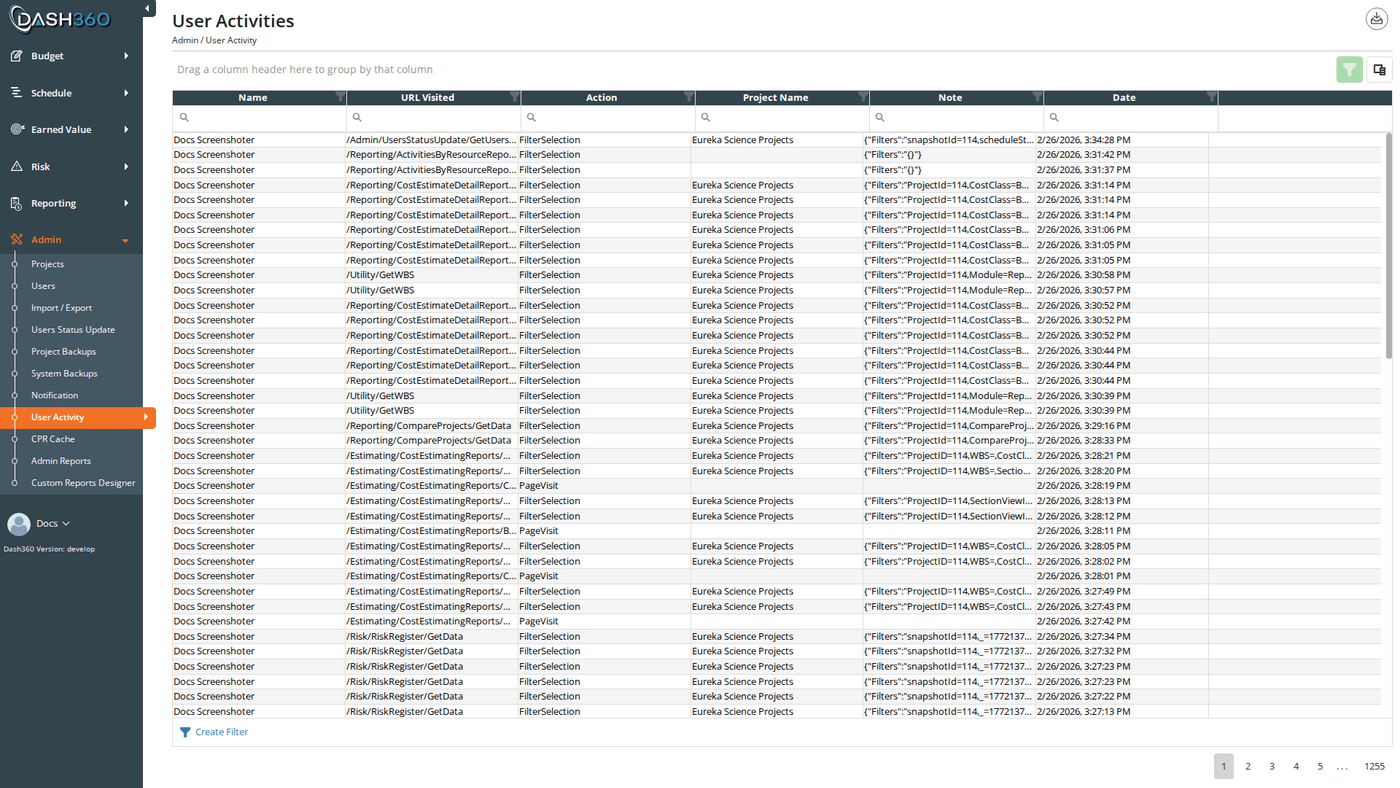
The User Activity page provides a complete audit log of actions taken by users throughout Dash360. Every login, page visit, filter selection, file import, and project restore is recorded with a timestamp, the user who performed it, and the page URL where it occurred. Administrators use this log to investigate unexpected data changes, confirm that specific operations were run, and understand how the system is being used.Permissions
Administrator role required.Activity Log Grid
The grid shows all activity records in reverse chronological order (most recent first). It supports a filter row with an Apply Filters button, header filters, a grouping panel, a column chooser, and pages of 100 records at a time.Columns
Action Types
How Activity Is Recorded
Page visits and logins/logouts are recorded automatically by the application as they occur. Filter selections are logged automatically every time a DevExpress grid or report finishes loading with active filters applied. The filter text is captured from the grid’s filter panel and written to the activity log with the current page URL. This means every time a user opens a filtered view (even if they set the filters on a previous session) the current filter state is recorded. The Note column stores the captured filter text for these entries. File imports are recorded when an import completes. The Note column identifies the import type, and if the import produced a result file, the Downloadable Link column contains a link to that file. Project restores are recorded when an administrator restores a project snapshot from the Backups page.Filter selections are logged every time a grid’s data reloads with filters active; not only when the user manually changes a filter. If a user navigates to a pre-filtered page, the current filter state is still recorded.
Timezone
All timestamps in the Date column are converted to the timezone configured in the system registry (Time-Zone setting). This ensures all activity records are displayed in a consistent local time regardless of where each user’s browser is located.
Exporting to Excel
Click the Export to Excel button to download the full activity log as an Excel file named User Activity.xlsx. All columns and any active grid filters are included in the export.Use Cases
- Investigate unexpected changes: When a user reports data that changed unexpectedly, filter the log by user and date range to see what operations were run around that time
- Confirm an import was run: Filter by Action = FileImport and by user to verify that a specific import was performed; use the Downloadable Link to retrieve the result file
- Usage analysis: Group by Action = PageVisit and URL to identify which modules and reports are most frequently accessed
- Audit trail: Confirm that logins occurred from expected accounts on expected dates
- Training gaps: If certain pages are rarely visited, those areas may need additional user training