

Overview
Contingency Source files define the lookup tables used when calculating contingency on cost estimates. A contingency source is a named file containing individual contingency line items; each line represents a named risk factor (Source × Type combination) and its associated value. Projects are assigned a contingency source file in Project Settings, and those line items drive what appears in the Risk Factors sections of the Budget Form.The label “Contingency” throughout Dash360 is configurable via the
ContingencyLabel registry setting. On some installations this feature may be labeled differently (e.g., “Risk Factor”). All page titles and button labels reflect the configured label.Permissions
Administrator role required.Contingency Source File List
The Contingency Source page displays all source files in a list. Each row shows:Status Indicators
Contingency Source File Fields
Creating a Source File
- Click Add a New [Label] Source.
- Enter a Name and optional Description.
- Click Save & Close or Save & Add Another.
- Add contingency line items next by clicking the [Label] Items link on the new file’s row.
Editing a Source File
Click the Edit icon on any source file row. The modal opens pre-filled. You can update the name and description.Copying a Source File
Click the Copy (process) icon on any row. Enter a name for the new file and click Copy. The copy includes all contingency line items from the original file.Deleting a Source File
Click the Delete icon on any row. Before deletion proceeds, Dash360 checks which projects reference this file. A confirmation dialog lists the affected projects and record counts before you confirm.Contingency Items Panel
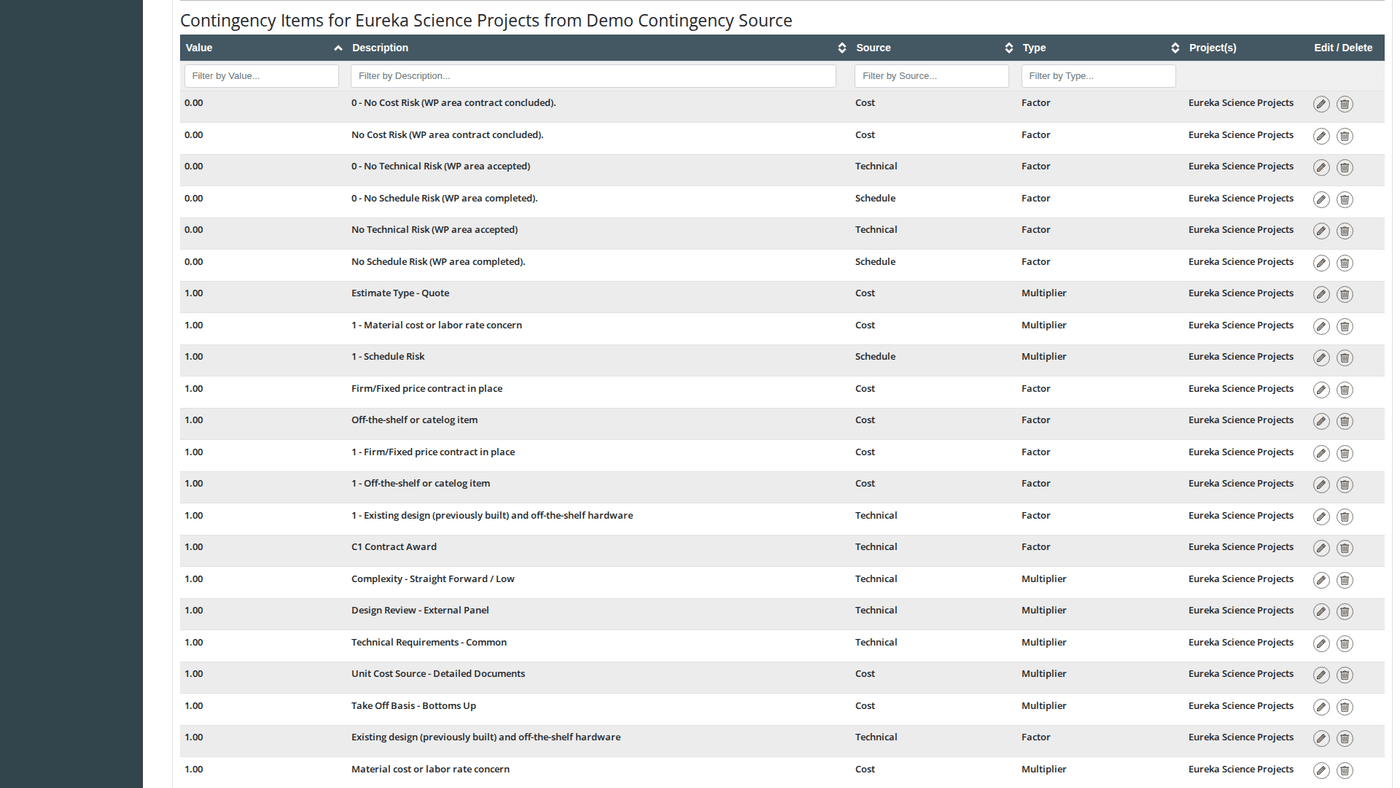
Click the [Label] Items link on any source file row to expand the Contingency Items panel below the list. This panel shows all line items defined in that source file.Items Panel Columns
The Add Item button in the panel is hidden when the source file is locked (used by a project with locked cost classes) or shared across multiple projects.
Contingency Line Item Fields
Adding a Contingency Line Item
- Click the [Label] Items link on a source file row to open the panel.
- Click Add [Label] Item.
- Enter the Source, Type, Value, and Description.
- Click Save & Close or Save & Add Another.
Editing a Contingency Line Item
Click the Edit icon on any item row. The edit modal opens with Source and Type pre-filled but disabled (read-only). Only Value and Description can be updated. Before saving, if this item is already in use by any project’s contingency assignments, a confirmation dialog shows the affected projects and record counts. Click Save Item to proceed or Cancel to abort.Deleting a Contingency Line Item
Click the Delete icon on any item row. A confirmation dialog shows which projects have contingency assignments referencing this item. Click Delete Item to confirm. Deletion sets the contingency value to 0 and clears the description on all affected contingency assignments across the associated projects.History Tracking
When history tracking is enabled (controlled by theEnableHistoryTracking registry setting), a History icon appears on each source file row. Click it to see a full audit trail of all changes to the source file and its line items; with timestamps and the user who made each change.