

Overview
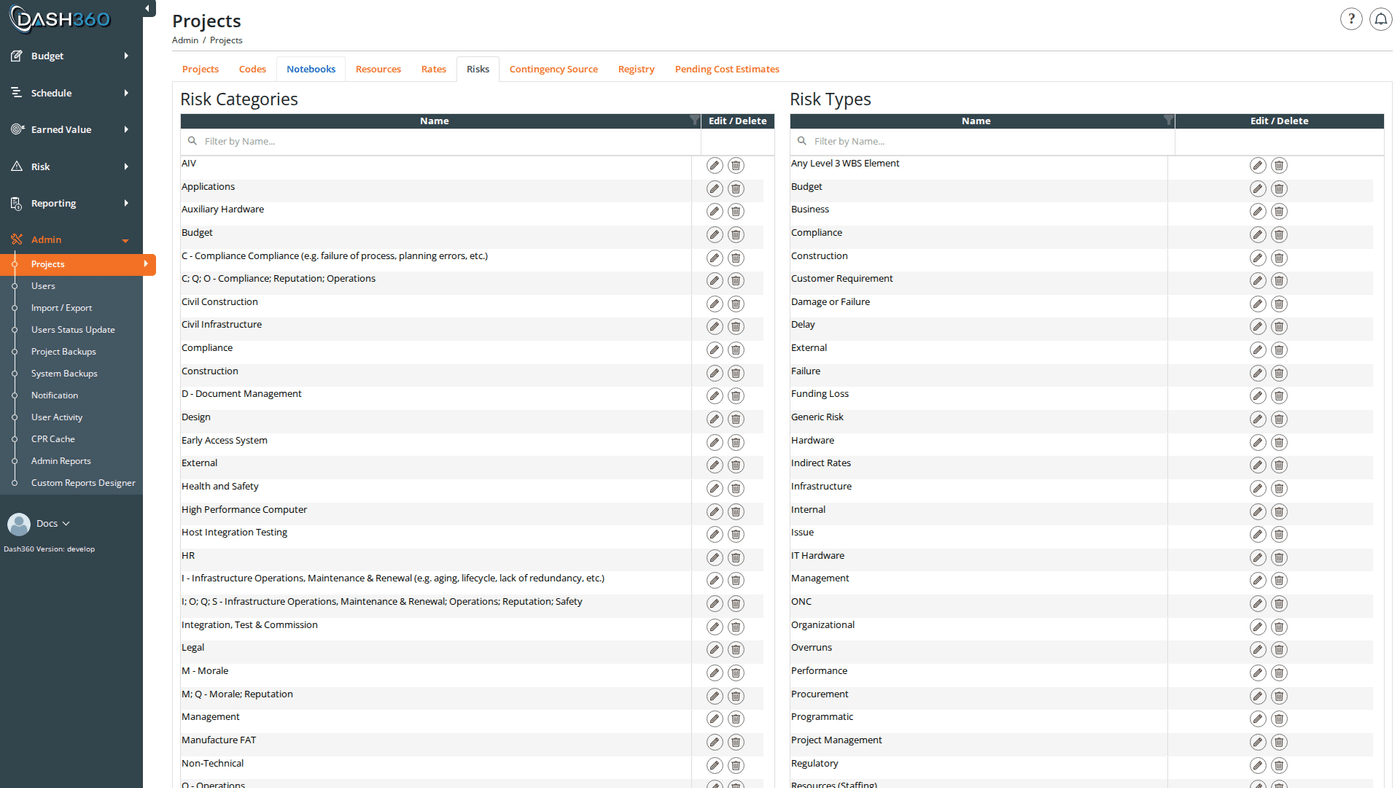
The Risks admin page is where administrators define the master lists of risk categories and risk types that are available for selection when users add or edit risks in the Risk Register.- Risk Categories classify what area of the project a risk affects (e.g., Technical, Cost, Schedule, External).
- Risk Types provide a secondary classification within a category (e.g., Design Risk, Supplier Risk, Regulatory Risk).
Permissions
Administrator role required.Page Layout
The Risks page displays two side-by-side panels:- Risk Categories (left panel): the top-level classification list
- Risk Types (right panel): the secondary classification list
Risk Categories
Risk Category Fields
Adding a Risk Category
- Click Add a New Risk Category.
- Enter the Name.
- Click Save & Close or Save & Add Another to save and immediately open a blank form for the next category.
Editing a Risk Category
Click the Edit (pencil) icon on any category row. The modal reopens pre-filled with the current name. Edit the name and save.Deleting a Risk Category
Click the Delete (trash) icon on any category row. A browser confirmation dialog asks you to confirm before the deletion proceeds.Risk Types
Risk Type Fields
Adding a Risk Type
- Click Add a New Risk Type.
- Enter the Name.
- Click Save & Close or Save & Add Another.
Editing a Risk Type
Click the Edit (pencil) icon on any type row. The modal reopens pre-filled. Edit the name and save.Deleting a Risk Type
Click the Delete (trash) icon on any type row. A browser confirmation dialog asks you to confirm.Scope
Risk categories and types are simple global lists. They carry no project reference, no Locked or Shared behavior, and no per-project instances, so an entry created here is available in every project’s Risk Register straight away. Changes, including deletions, take effect immediately everywhere.The per-project Risk Register tab in Project Settings does not configure categories or types. That tab holds the project’s Risk ID prefixes and risk thresholds.